Trint is one of the best-known names in AI transcription. It is a cloud platform: you upload an audio or video file, it is transcribed on the provider’s servers, and you review the result in a browser-based editor, often together with your colleagues. For many newsrooms and production teams, that model works well.
Transcription App takes the opposite approach. It is a desktop application that runs the speech recognition models on your own computer, so your recordings are never uploaded anywhere. It is also freemium: the free mode is free forever and transcribes complete recordings with Whisper Base.
Neither approach is right for everyone. This guide explains how the two differ, where each one fits best, what a switch involves, and the questions worth asking before you choose a transcription tool for sensitive work.
Two different approaches to transcription
Trint: a cloud platform
Trint’s strengths come from its architecture. Because transcription and editing happen online, a transcript can be opened from any device with an internet connection, shared across a team and edited in the same workspace by several people. There is nothing to install, and the provider takes care of the computing power.
The trade-off is simple: every recording has to be uploaded to the provider’s infrastructure before it can be transcribed, and it is stored there while you work on it. For a podcast episode or a public press conference, that may not matter at all. For a confidential interview, it is a decision worth thinking through.
Transcription App: a local desktop app
Transcription App is an application you install on macOS, Windows or Linux. OpenAI’s Whisper models and NVIDIA’s Parakeet model run directly on your computer, and your projects, recordings, transcripts and notes are stored as ordinary files in a folder you choose.
The app goes online only to check your licence and to download a model the first time you use it. After that, transcription works offline. There is no account holding your files, no dashboard in a browser and nothing to upload.
Cloud platform or local app: the main differences
| Cloud platform such as Trint | Transcription App | |
|---|---|---|
| Where your recordings go | Uploaded to the provider’s servers | Stay on your computer, in a folder you choose |
| Internet connection | Needed to upload, transcribe and edit | Only for the licence check and the first download of each model |
| Account | An online account holds your files | No account holds your files; the free mode needs no account at all |
| Working together | Shared online workspace and editor | Single-user app; share exported files or project archives |
| Free version | See the provider’s current offer | Free forever: complete recordings, of any length, with Whisper Base |
| Platforms | Web browser | Desktop app for macOS, Windows and Linux |
Features and prices of cloud services change often, so check Trint’s own website for its current plans before you compare costs.
Why the location of your recordings matters
When you choose a transcription tool, the question is not only how accurate it is, but where your recordings end up. With any cloud service, a copy of your audio sits on infrastructure you do not control, under terms of service and retention policies you have to take on trust. Before uploading a sensitive recording anywhere, it is worth asking:
- Who at the provider, or at its subcontractors, can access the audio and the transcript?
- How long are files kept after you delete them, and where are the backups?
- Can your content be reused, for instance to improve the provider’s models?
- Does uploading the recording fit your consent forms, your contracts or your professional obligations?
With Transcription App, most of these questions do not arise, because the recording never leaves your computer. That does not replace your own obligations: you still decide where your projects are stored and how they are backed up and shared. But keeping recordings on your own machine helps you keep confidential material under your control.
Who each tool suits
Journalists
Source protection starts with where you transcribe. Transcription App lets reporters transcribe interviews, phone and video calls and press conferences on their own laptop, name each voice, check every quote against the audio with a single click, and export clean copy for an editor. Newsrooms that rely on real-time collaborative editing across a large team may still prefer a shared cloud workspace. See Transcription App for journalists.
Qualitative researchers
Ethics committees want to know where participant data goes. With local transcription, the answer is short: it stays on the researcher’s computer. Transcription App handles interviews, focus groups and fieldwork recordings in 99 languages with Whisper, and exports clean transcripts for NVivo, ATLAS.ti or MAXQDA. Researchers who also want to code their data in a private, local tool can use Qualitativist, described below. See Transcription App for qualitative research.

Legal professionals
Depositions, hearings and client interviews are among the most sensitive recordings there are. Transcription App produces working transcripts for case preparation and review without passing privileged audio through a third-party server. Where a court or tribunal requires a certified transcript, it still has to come from an approved provider. See legal audio transcription.
Film, TV and video makers
Unreleased footage and pre-broadcast episodes stay on your workstation. Transcription App’s subtitle editor turns every segment into a subtitle you can preview and style directly on your video, then export as SRT or WebVTT. See Transcription App for subtitles.
Features compared in practice
Transcription models
Transcription App includes five models, all running on your device. Whisper Base is the free-mode model: lightweight and fast. With a subscription, you can use Whisper Large Turbo, the recommended default for high accuracy with fast processing; Parakeet v3, built for speed on long recordings in 25 European languages; Whisper Medium, which favours accuracy over speed; and Whisper Small, a good balance for laptops with less memory. Whisper models cover about 99 languages.
Speed and accuracy depend on your computer and on the recording itself: microphone quality, background noise, accents and overlapping speech all play a part. The interactive demo on our home page shows the unedited output of several models on the same recording, so you can judge for yourself.
Speakers
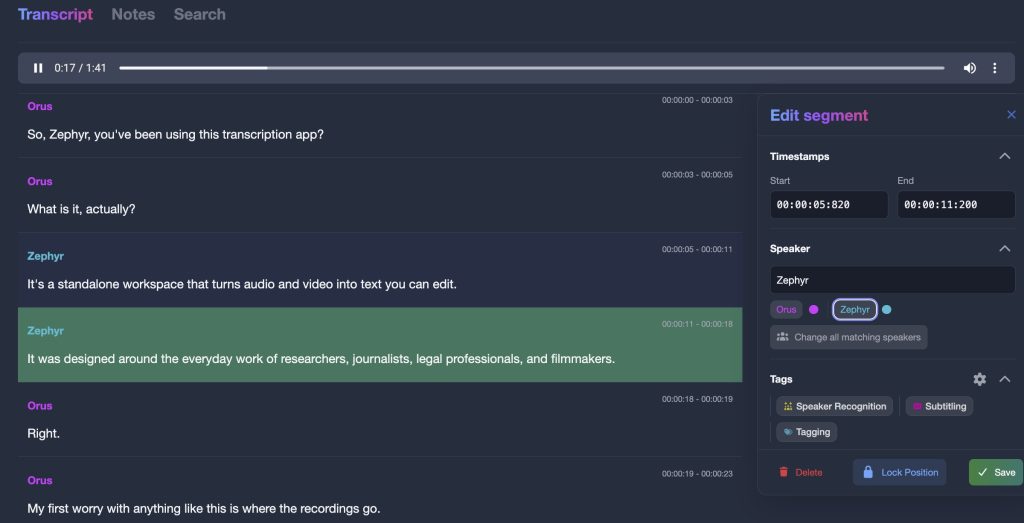
Automatic speaker segmentation splits each transcript into speaker turns. Speaker recognition then labels the rest of the file once you have named a few segments for each person, ideally three or more. Rename “Speaker 1” to “Interviewer” once and every matching segment follows, and each speaker keeps the same colour throughout the project. Speaker recognition is assisted rather than perfect, so expect to correct a few turns in noisy or crowded recordings.
Editing
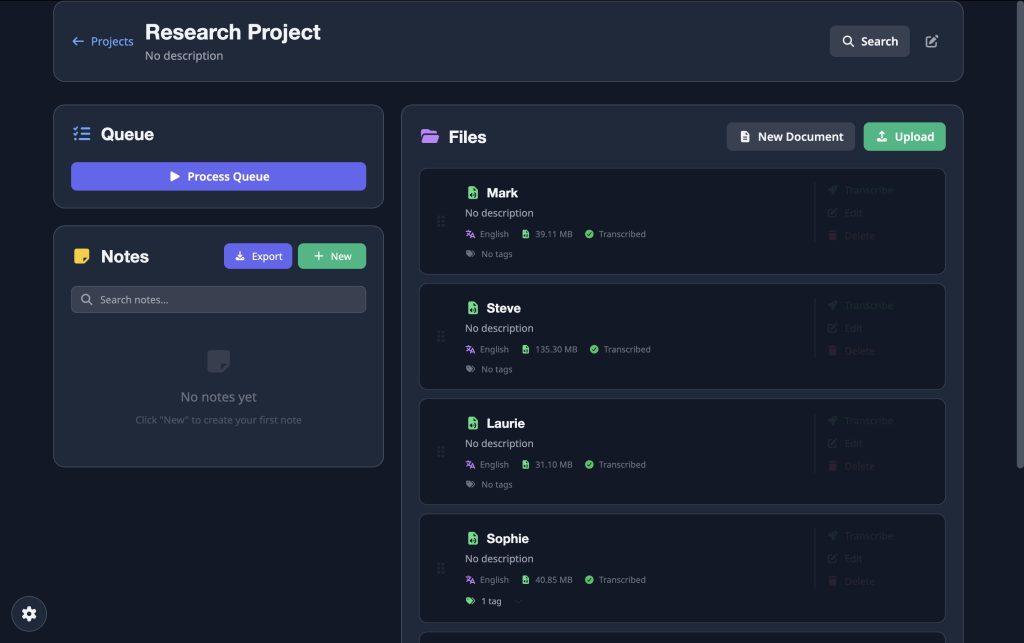
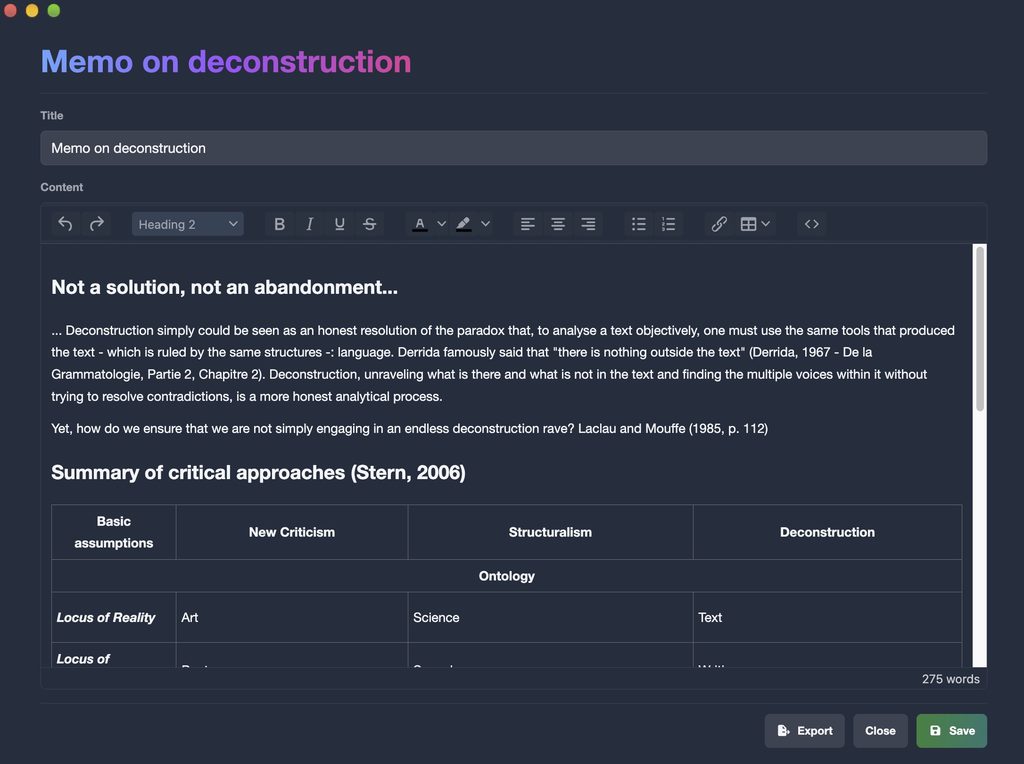
The transcript editor is built around the recording. Click a line to hear it, correct a word, split or merge segments and adjust timestamps, with undo and redo. A waveform under the transcript helps you find a passage by its sound, and keyword search works inside a transcript or across a whole project, filtered by speaker. Project notes open in their own window beside the transcript, and your edits are saved automatically.
Subtitles
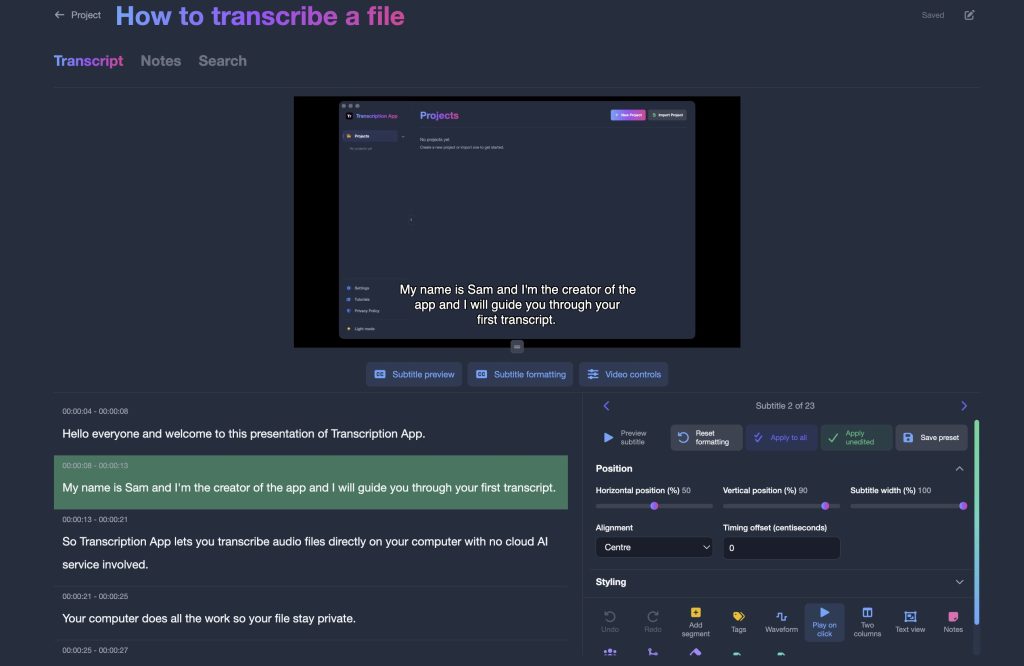
In subtitle editor mode, you can style each subtitle individually: position, width, font, size, line spacing, text and background colours, outline, shadow, alignment, characters per line and timing offset. Style presets can be applied to one subtitle, to every subtitle you have not styled yet, or to all of them. External video players differ in how much WebVTT styling they display, so SRT remains the safe choice for compatibility.
Imports, exports and sharing
Transcripts export to plain text, SRT and JSON in the free mode, and to Word (.doc) and WebVTT with a subscription. You can import existing transcripts and subtitles in SRT, VTT, TXT, DOC, HTML or JSON, so work from another tool can join the same project. Transcription App is a single-user app: to share work, you export files or, with a subscription, a project archive that a colleague imports into their own copy.
When a cloud platform like Trint may suit you better
Transcription App is deliberately a focused, single-user desktop tool. It does not offer live transcription of meetings or calls, it does not record audio itself, it does not translate, and it has no real-time collaborative editing in a browser and no mobile app. If your team depends on those features, a cloud platform may be the better choice, as long as uploading your recordings is acceptable for the material you handle.
It is also worth being honest about hardware. Because the models run on your machine, a very old or low-memory computer will be slower, and the largest models need more memory than the lighter ones. The free mode is the easiest way to find out what your own computer does with your own recordings.
What it costs
Transcription App is freemium. The free mode is free forever, not a time-limited trial. It includes:
- transcription of complete recordings, with no duration limit, using Whisper Base;
- unlimited projects, the transcription queue, speaker segmentation and recognition;
- the transcript and subtitle editors, notes and search;
- exports to .txt, .srt and .json, transcript imports and full-storage backups.
A monthly or yearly subscription adds the more advanced models (Whisper Large Turbo, Parakeet v3, Whisper Medium and Whisper Small), subprojects, project archives, Word exports and WebVTT exports that keep per-subtitle styling. If a subscription ends, your existing work stays accessible.
Monthly
$2.29
Yearly
$22.99
Prices are also available in your local currency!
Please contact sam@transcription-app.com for discounts on multiple licenses or if you’re representing an organization.
For qualitative researchers: Qualitativist
If you transcribe interviews or focus groups for research and also need to analyse them, our sister product Qualitativist builds on the same private, on-device transcription and adds the tools a qualitative study needs: tags for coding, advanced search with AND and OR rules, a literature library with citations in Word, research documents and web data collection. Like Transcription App, it keeps your data on your own computer.
Moving from Trint to Transcription App
- Download Transcription App for free and transcribe one of your own recordings with Whisper Base.
- Export the transcripts you want to keep from your current tool, then import them into Transcription App as SRT, VTT, TXT, DOC, HTML or JSON files, so earlier work sits alongside new recordings.
- Choose a storage folder on a normal local disk rather than inside a cloud-synced folder such as iCloud Drive, Dropbox, OneDrive or Google Drive.
- Name your speakers, correct the text against the audio, and export to the formats you need.
- Subscribe when you want the more advanced models for extra accuracy or speed.
Our tutorials walk you through each step, from creating a first project to speaker recognition and settings.
A typical week with Transcription App
Imagine a researcher with six interviews to transcribe, or a reporter coming back from a week of meetings. With Transcription App, each recording goes into a project for that study or story. You set the language of each file, switch on speaker segmentation if several people are talking, and add everything to the queue. The app works through the files one after another while you get on with something else, even on a train with no connection.
When a transcript is ready, you open it and read along with the audio. A click on any line plays the recording from that moment, so checking a name or a quotation takes seconds. You label a few segments for each speaker, run speaker recognition, and rename each voice once. Notes sit in their own window beside the transcript, so thoughts can be written down while the conversation is still fresh.
At the end of the week, you export what you need: plain text for a colleague, SRT subtitles for a video, JSON for a data pipeline, or, with a subscription, a Word document or a styled WebVTT file. The recordings and transcripts never left the laptop, and a single folder holds the whole project, ready to be backed up.
The bottom line
Trint and Transcription App solve the same problem in different ways. If your priority is a shared online workspace, live transcription or translation, a cloud platform may serve you well. If your priority is keeping recordings on your own computer, working offline and starting for free, Transcription App was built for exactly that. The simplest way to decide is to try it: download the free version and transcribe one of your own recordings.