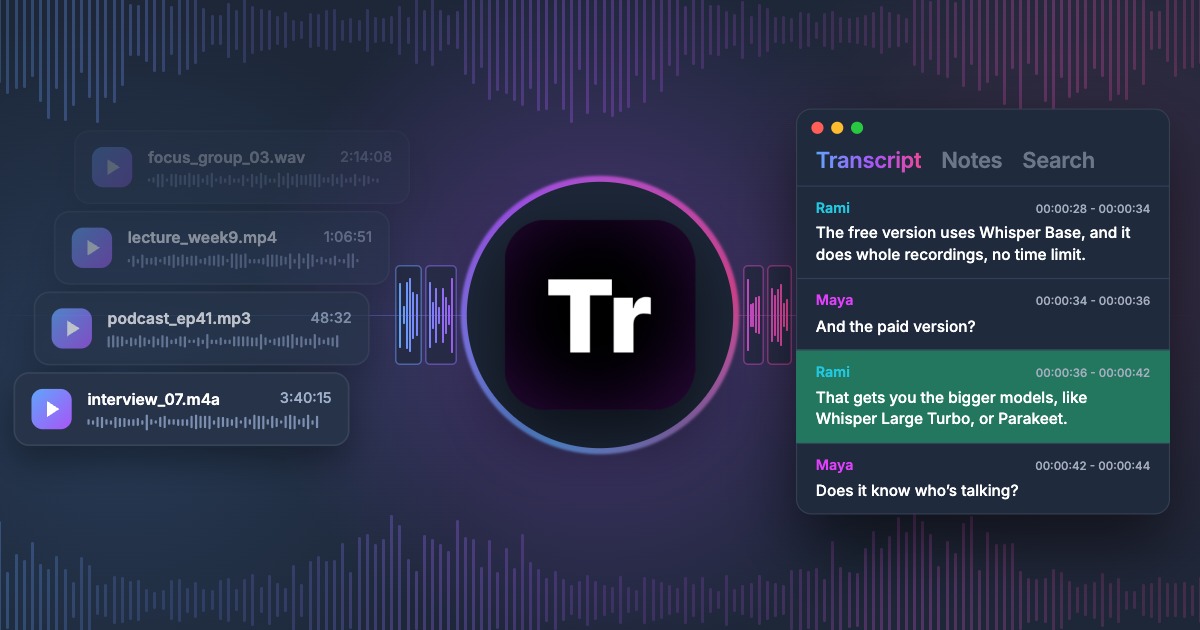
Transcription App is now a free transcription app. The free mode transcribes as many recordings as you like with Whisper Base: no monthly minutes, no daily quota, no cap on the length of a file, and no watermark or trial period. It is free forever, and it runs entirely on your own computer, so your audio and video are never uploaded anywhere.
Most “free” transcription services are a sample of a paid plan: a handful of minutes each month, a short trial or a limit on the length of each file. This article explains what has changed in Transcription App, why we can offer unlimited transcription at no cost, and how our free mode compares with the free plans of Otter.ai, Rev, Descript, Happy Scribe, Sonix, Trint and TurboScribe.
Download on MacOS
Download on Windows
Download on Linux
What has changed in the new version of Transcription App?
Transcription App has always been freemium, but the free mode is now the heart of the app rather than a taster. Everything you need to turn a recording into an edited transcript or a subtitle file is included, with no time limit on how long you can use it. The free mode includes:
- transcription of complete recordings with Whisper Base, with no limit on the number of files or on their duration;
- unlimited projects and a transcription queue, so you can add a whole batch of files and let them run;
- automatic speaker segmentation and assisted speaker recognition;
- the transcript editor and the subtitle editor, project notes and search;
- exports to plain text (.txt), subtitles (.srt) and .json, imports of existing transcripts, and full-storage backups.
A monthly or yearly subscription remains available for people who want more accuracy or more advanced workflows. It adds four more models (Whisper Large Turbo, Parakeet v3, Whisper Medium and Whisper Small), subprojects, project archives for sharing work, Word (.doc) exports and WebVTT exports that keep per-subtitle styling. If a subscription ends, everything you created stays accessible.
Monthly
$2.29
Yearly
$22.99
Prices are also available in your local currency!
Please contact sam@transcription-app.com for discounts on multiple licenses or if you’re representing an organization.
Why we can make transcription unlimited
Cloud transcription services run speech recognition on their own servers, and every minute of audio they process costs them computing power. That is why their free plans are counted in minutes, and why the minutes run out.
Transcription App works differently. The speech recognition model is downloaded once and runs on your computer’s own processor. Transcribing another hour of audio costs us nothing, so there is no reason to meter it. The same design is what makes the app private: no recording, transcript or note ever leaves your machine, and once the model is installed the app works offline.
See what the free model can do
The best way to judge a free transcription app is to look at its output. The demo below plays a real recording and shows the unedited transcripts produced by Whisper Base, the free model, alongside the models included in the subscription. Press play, switch between models and compare the wording and punctuation for yourself.
This is what Transcription App does
The transcription took 8 seconds on a Macbook M1 Pro with 16Gb of RAM on default settings. Speaker recognition was done at 1% threshold minimum similarity, 0% confidence margin. The result is unedited.
Whisper Base is lightweight and fast, and it works well on clear recordings: a dictation, a lecture, an interview recorded close to the microphone. On noisy recordings, strong accents or people talking over each other, the larger models make noticeably fewer mistakes. Speed and accuracy also depend on your computer and on the recording itself, so the simplest test is to download the app and transcribe one of your own files.
Free transcription plans compared
Here is what the free plans of the best-known transcription apps include, and what their first paid plan costs.
| Free plan | Main limits | Entry-level paid plan | Where transcription runs | |
|---|---|---|---|---|
| Transcription App | Free forever | None on minutes, files or duration (Whisper Base) | $2.29/month or $22.99/year | On your computer |
| Otter.ai | Basic plan | 300 minutes a month, 30 minutes per conversation, 3 file imports in total | Pro: $16.99/month, or $8.33/month billed yearly | Otter’s cloud |
| Rev | Free plan | 45 AI minutes a month, English only | Essentials: about $25–30 per seat per month | Rev’s cloud |
| Descript | Free plan | 60 media minutes a month, watermarked video exports | Hobbyist: $24/month, or $16/month billed yearly | Descript’s cloud |
| Happy Scribe | Free plan | A 10-minute trial of AI transcription | Basic: $17/month, or $8.50/month billed yearly, for 120 minutes a month | Happy Scribe’s cloud |
| Sonix | Free trial | 30 minutes, once | $10 per hour pay-as-you-go, or Core at $25/month for 5 hours | Sonix’s cloud |
| Trint | Free trial | 7 days, then no free plan | Per-seat plans, mostly billed yearly | Trint’s cloud |
| TurboScribe | Free plan | 3 files a day, up to 30 minutes each | Unlimited: from $10/month billed yearly | TurboScribe’s cloud |
Otter.ai
Otter’s Basic plan is one of the more generous cloud free tiers, but it is built for meetings: 300 minutes a month, conversations capped at 30 minutes, and only three imported audio or video files in the lifetime of the account. If you want to transcribe existing recordings rather than live meetings, you reach the limits quickly. Read our full comparison: Alternative to Otter.ai.
Rev
Rev’s free plan gives you 45 minutes of AI transcription a month, in English only. Rev is best known for its human transcription service, charged per minute of audio, which Transcription App does not offer. See Alternative to Rev.
Descript
Descript is a video and podcast editor that uses transcripts as its editing surface. The free plan includes 60 media minutes a month and adds a watermark to video exports. If you mostly need transcripts or subtitles rather than an editor, it is a lot of software for a small allowance. See Alternative to Descript.
Happy Scribe
Happy Scribe’s free plan lets you try AI transcription and subtitling on 10 minutes of media, then moves you to a paid plan with a monthly allowance of minutes. See Alternative to Happy Scribe.
Sonix
Sonix offers 30 free minutes when you sign up, then charges by the hour of audio or through monthly plans with a set number of hours. There is no ongoing free tier. See Alternative to Sonix.
Trint
Trint is aimed at newsrooms and media teams. It offers a seven-day trial and no free plan afterwards; its paid plans are priced per seat. See Trint or Transcription App.
TurboScribe
TurboScribe also uses Whisper, in the cloud. Its free plan transcribes three files a day of up to 30 minutes each, which suits occasional short recordings but not a two-hour interview or a batch of files.
What you get with the free mode
Transcription on your own computer
Transcription App is a desktop app for macOS (Apple silicon and Intel), Windows and Linux. You add audio or video files, they join the transcription queue, and Whisper Base transcribes them in about 99 languages. Nothing is uploaded, which matters if your recordings are confidential interviews, client meetings, unreleased footage or research data.
Speakers
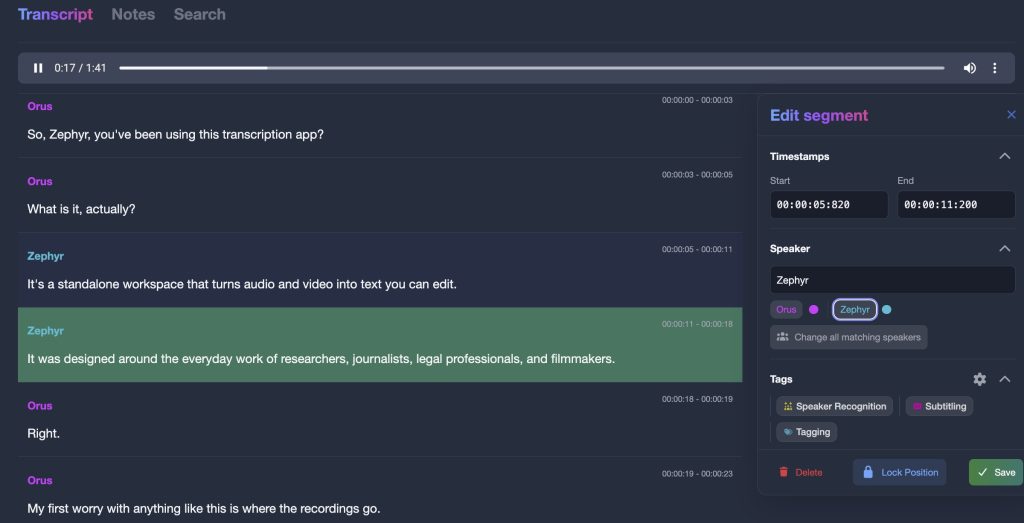
Automatic speaker segmentation splits each transcript into speaker turns. Once you have named a few segments for each person, speaker recognition labels the rest of the file, and each speaker keeps the same colour throughout the project. Recognition is assisted rather than perfect, so expect to correct a few turns in noisy recordings.
Editing, notes and search
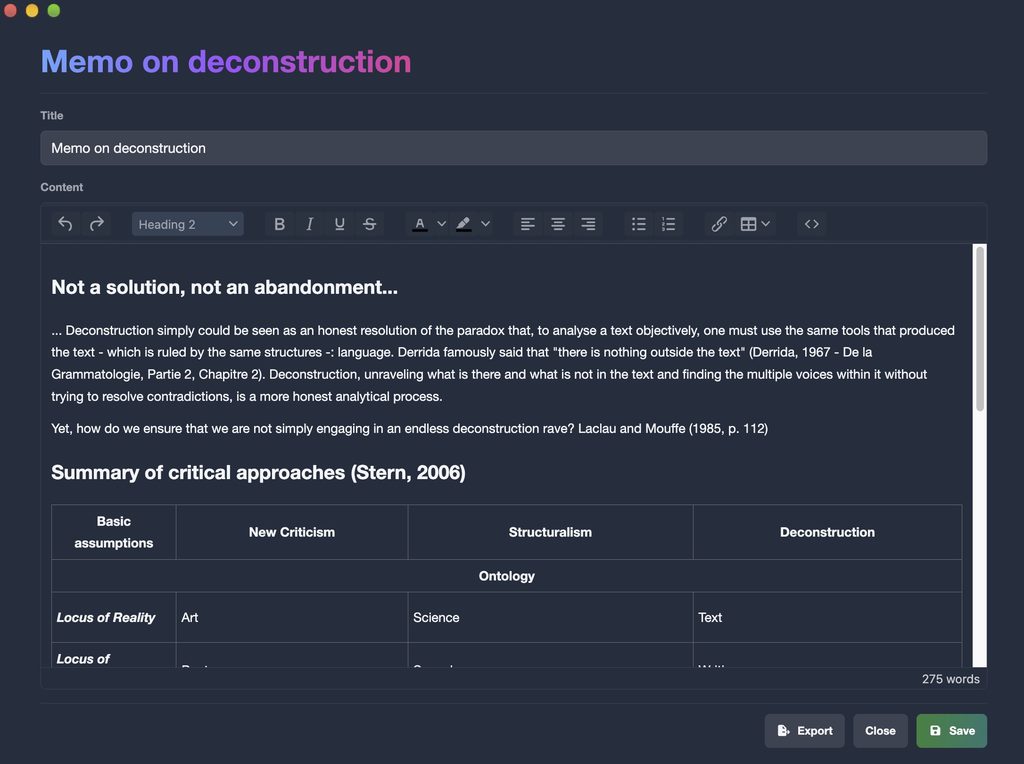
The editor is built around the recording: click a line to hear it, correct a word, split or merge segments and adjust timestamps, with undo and redo. A waveform helps you find a passage by its sound, keyword search works across a whole project, and project notes open in their own window beside the transcript.
Subtitles
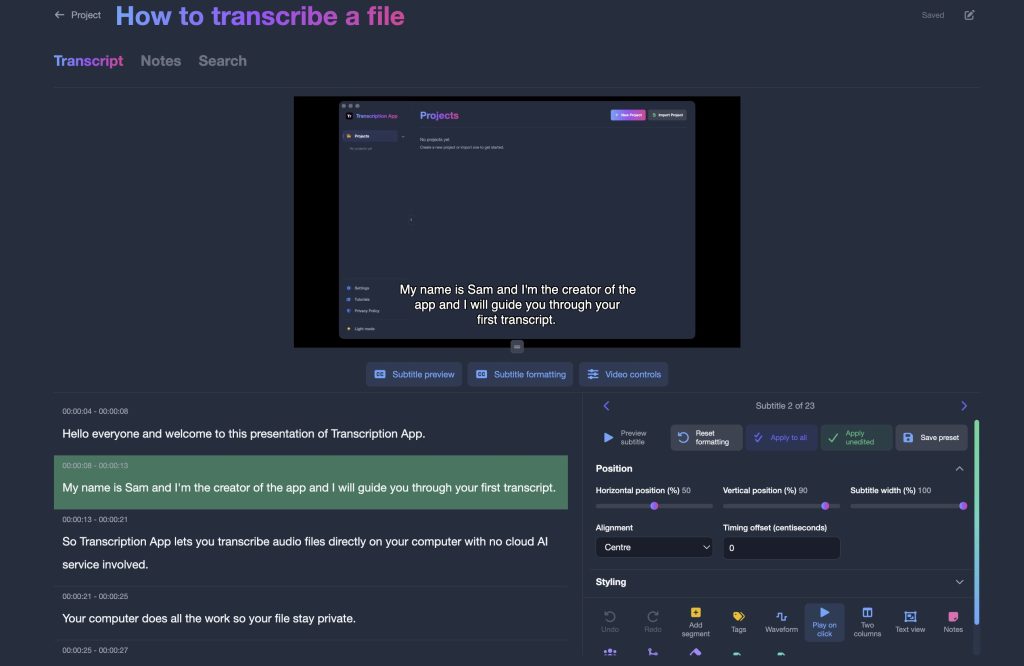
In subtitle editor mode, you can preview each subtitle on your video and adjust its timing, position, font, size, colours, outline and shadow, then export an .srt file for YouTube, social media or a video editor.
Exports and backups
The free mode exports to .txt, .srt and .json, imports transcripts and subtitles from other tools, and creates full-storage backups so your work is never locked in.
When a cloud plan may suit you better
Transcription App is software, not a service. It does not provide human-made transcripts, translation, live meeting transcription or collaborative editing in a browser, and it needs a computer rather than a phone. If you need one of those, a cloud service is the better fit. If you want to transcribe your own recordings, privately and without counting minutes, the free mode covers it.
For qualitative researchers: Qualitativist
If you transcribe interviews or focus groups for a study and also need to code and analyse them, our sister product Qualitativist builds on the same private, on-device transcription and adds the tools a qualitative research project needs. Our page on Transcription App for research explains the difference.
Get started for free
- Download Transcription App for your system below.
- Open the app and create a project.
- Add your audio or video files: they are transcribed with Whisper Base, for free, on your computer.
- Edit, name your speakers and export your transcript or subtitles.
Download on MacOS
Download on Windows
Download on Linux
There are no minutes to count and no trial to run out. If one day you want more accuracy on difficult recordings, the advanced models are one subscription away, and everything you created in the free mode stays with you.